Dive into the vibrant world of flower Roblox decals and discover how these simple yet powerful assets can transform your virtual creations. Roblox, a platform where creativity knows no bounds, empowers millions of gamers to design and play in immersive environments. Flower decals offer a fantastic way to personalize your games, build intricate gardens, design unique clothing, or add a touch of natural beauty to any structure you envision. This comprehensive guide explores everything from finding the perfect flower Roblox decal to seamlessly integrating it into your builds. Whether you are a seasoned developer looking for fresh design elements or a casual player keen on customizing your personal space, understanding the nuances of decals is crucial. Learn about their versatile applications, common challenges during implementation, and best practices for sourcing high quality images. Unlock new levels of aesthetic appeal and make your Roblox experience truly stand out with stunning floral designs. This resource is designed to navigate you through the process step by step ensuring you maximize your creative potential. Discover the trending ways to use floral assets for a truly unique aesthetic.
How do I find and use flower Roblox decal IDs?
Finding flower Roblox decal IDs typically involves searching the Roblox Creator Marketplace or the Roblox Library on the official website. You can use keywords like "flower decal" or specific floral terms. Once you have a Decal ID, you open Roblox Studio, select a part you wish to decorate, add a 'Decal' object to it, and then paste the Decal ID into the 'Texture' property in the 'Properties' window. This will apply the flower image to the chosen face of your part, instantly customizing your build.
What are the benefits of using flower decals in Roblox builds?
Using flower decals in Roblox builds offers several key benefits, including enhanced aesthetic appeal, quick personalization, and improved immersion. They allow builders to add intricate floral details without needing complex 3D modeling skills, saving time for busy gamers. Decals make games more visually appealing, unique, and engaging for players, contributing to a richer and more enjoyable virtual experience within the Roblox platform.
Can I create my own custom flower decals for Roblox?
Yes, you can absolutely create and upload your own custom flower decals to Roblox. The process involves designing your flower image using graphic editing software, saving it as a PNG (for transparency) or JPG, and then uploading it via the 'Create' tab on the Roblox website. After a small Robux fee and moderation approval, you will receive a unique Decal ID which you can then use in Roblox Studio to apply your custom design to your builds.
What common problems occur with Roblox decals and how are they resolved?
Common problems with Roblox decals include pixelation, the decal not appearing, or transparency issues. Pixelation often arises from using low-resolution images; resolve this by using higher-resolution source files (e.g., 1024x1024 pixels). If a decal isn't appearing, double-check the Decal ID and the 'Face' property. Transparency issues are usually fixed by ensuring your original image was saved as a PNG with a transparent background. Performance issues from too many decals can be mitigated by texture atlasing.
How do flower decals impact game aesthetics and social play?
Flower decals significantly impact game aesthetics by adding vibrant, detailed, and personalized visual elements that transform ordinary spaces into captivating environments. Aesthetically, they enhance realism and immersion. Socially, they encourage player creativity and collaboration, allowing individuals to customize shared spaces or express unique styles within role-play games. This personalization fosters greater engagement and creates more memorable, visually rich social gaming experiences for everyone.
How do I ensure my flower decal looks good on different Roblox surfaces?
To ensure your flower decal appears consistent and high-quality across various Roblox surfaces, always use high-resolution images (preferably square dimensions like 1024x1024 pixels) for your decal texture. When applying, check the 'Face' property in Roblox Studio's 'Properties' window to correctly orient the decal. Additionally, consider the material of the part it's applied to; some materials interact differently with textures, so adjust 'Transparency' or 'Color' of the part for the best blend. Test your decal on different part sizes and materials within your game before finalizing your design.
Are flower decals visible to all players in my Roblox game?
Yes, once a flower decal is correctly applied and published within your Roblox game, it will be visible to all players who join your experience. Decals are server-side assets, meaning they are loaded and rendered for everyone, ensuring a consistent visual experience across your player base. This universal visibility is key for maintaining the aesthetic integrity of your game and for shared creative projects.
What file formats are best for uploading flower decal images to Roblox?
The best file formats for uploading flower decal images to Roblox are PNG and JPG. PNG is highly recommended if your decal requires a transparent background, allowing the underlying part's color or texture to show through around your flower design. JPG is suitable for images with solid, non-transparent backgrounds, as it often results in smaller file sizes. Always prioritize image quality and appropriate transparency for your specific decal needs.
Can flower decals be layered or stacked on a single Roblox part?
While you can only apply one 'Decal' object per face of a 'Part' directly, you can achieve layered effects by adding multiple 'SurfaceGui' objects with 'ImageLabel' elements to a single part. Each ImageLabel can display a different flower decal texture, allowing you to stack and arrange them as desired. This method offers greater control over positioning, size, and layering for complex floral designs on a single surface.
How can I get my flower decals approved quickly by Roblox moderation?
To get your flower decals approved quickly by Roblox moderation, ensure they adhere strictly to Roblox's Community Standards. This means using appropriate imagery free from copyrighted material, explicit content, or hate speech. Upload high-quality, clear images with descriptive names. Avoid anything that could be misinterpreted. Decals depicting common flowers are generally approved swiftly, while complex or abstract designs might take a bit longer. Patience and adherence to guidelines are key for a smooth approval process.
Are there free resources for flower decal templates or images?
Yes, there are numerous free resources available for flower decal templates and images. Websites like Unsplash, Pixabay, and Pexels offer vast libraries of royalty-free flower photography and illustrations. For vector art or design elements, Freepik and Vecteezy provide many free-to-use options, often requiring attribution. Additionally, the Roblox Creator Marketplace itself contains many free community-uploaded decals. Always check licensing terms to ensure proper usage, especially if your game intends to be monetized.
What's the difference between a 'Decal' and a 'Texture' in Roblox Studio?
In Roblox Studio, a 'Decal' is a specific object designed to project a 2D image onto a single face of a 'Part'. It's excellent for distinct, non-tiling images like a singular flower or logo. A 'Texture', on the other hand, is a property of a 'Part' itself (or can be applied via a 'SurfaceAppearance' object) that typically tiles an image seamlessly across the entire surface of the part. 'Textures' are better for repeating patterns like a floral wallpaper or ground cover, while 'Decals' are for unique, placed images. Understanding this distinction helps optimize visual effects and performance.
Gamers, especially those balancing life and play, often find themselves seeking ways to make their limited time in games feel rewarding and unique. In a massive platform like Roblox, where millions create and play, how do you make your builds truly stand out? It can be tough to distinguish your creations when 87% of US gamers play regularly, often for 10+ hours a week, with mobile gaming consistently dominating the landscape. This month, social and cozy games are trending, and personalization is more crucial than ever for player engagement. Flower Roblox decals offer a simple yet powerful way to inject personality and beauty into your builds, making your corner of the metaverse truly yours. They transform bland landscapes into vibrant gardens, add intricate details to homes, or bring life to custom outfits and accessories. This comprehensive guide is designed for busy gamers who want to master flower Roblox decal usage without the hassle, optimizing their creative output and ensuring their designs get noticed. We will cover everything from finding the perfect decal to advanced integration techniques, helping you build something truly special without wasting precious gaming time. Let us dive in and elevate your Roblox building skills.
What exactly is a "flower Roblox decal" and how does it work?
A flower Roblox decal is essentially a 2D image texture that you can apply to any 3D surface within your Roblox game. Think of it as a digital sticker that wraps around parts, bringing visual detail and personality. When you upload an image to Roblox, it generates a unique Decal ID, which is a numerical code. Builders then use this ID to apply the image to a 'Decal' object or directly onto a 'Part' in Roblox Studio, instantly transforming its appearance. These decals are fundamental for adding intricate designs, branding, or specific themes like beautiful flowers without needing to model complex 3D objects, saving valuable development time.
The process is straightforward: an image is uploaded, it becomes a texture, and that texture can be projected onto surfaces. This allows for a high degree of customization, from subtle floral patterns on walls to vibrant flower beds in virtual gardens. Understanding the Decal ID is crucial, as it is the bridge between your chosen image and its in-game application. Decals are an accessible way for anyone to enhance their Roblox experience, regardless of their modeling skills or prior experience with graphic design. They provide an immediate visual upgrade.
Why should I use flower Roblox decals in my builds?
Flower Roblox decals offer an incredible avenue for personalization and aesthetic enhancement within your Roblox creations. They allow busy gamers, who perhaps only have a few hours a week to dedicate to building, to quickly add intricate details that would otherwise require complex 3D modeling skills. This efficiency means more time playing and less time wrestling with advanced tools. Decals instantly boost visual appeal, transforming simple structures into captivating environments and making your game world feel more inviting.
Beyond aesthetics, decals can significantly enhance the immersive quality of your games. Imagine a role-playing game where a quaint village is adorned with colorful window boxes, or an adventure map featuring lush, floral pathways. These details make your game world feel more alive and inviting, directly contributing to player engagement and retention. For creators seeking to make their mark on Roblox, especially in trending genres like social and cozy games, unique floral accents provided by decals are a simple yet effective way to stand out and attract players who appreciate thoughtful design. They communicate a sense of care and attention to detail.
How do I find the best flower Roblox decal IDs?
Finding the perfect flower Roblox decal IDs involves exploring several community-driven and official Roblox resources. The most common starting point is the Roblox Creator Marketplace, accessible via Roblox Studio or the website. Here, you can search for
Easy Customization, Enhance Game Aesthetics, Personalize Builds, Find Unique Decal IDs, Step by Step Integration Guide, Creative Design Ideas, Boost Roblox Creations, Optimize Performance, Current Trends
35


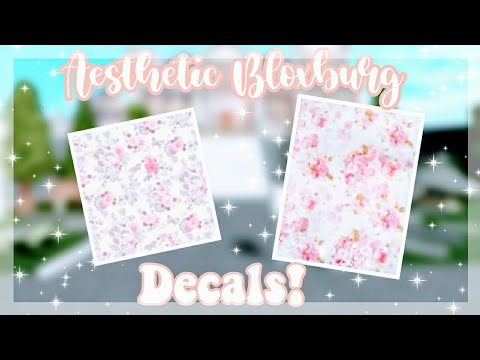
Flower Roblox Id . Roblox Decals Bloxburg Bamboo Decal Bloxburg Rose Decals . Bloxburg Plant Decal Codes . Bloxburg Plant Decals At Eliza Pethebridge Blog . Floral ROBLOX Decal ID Codes Glossy Angels YouTube Hqdefault


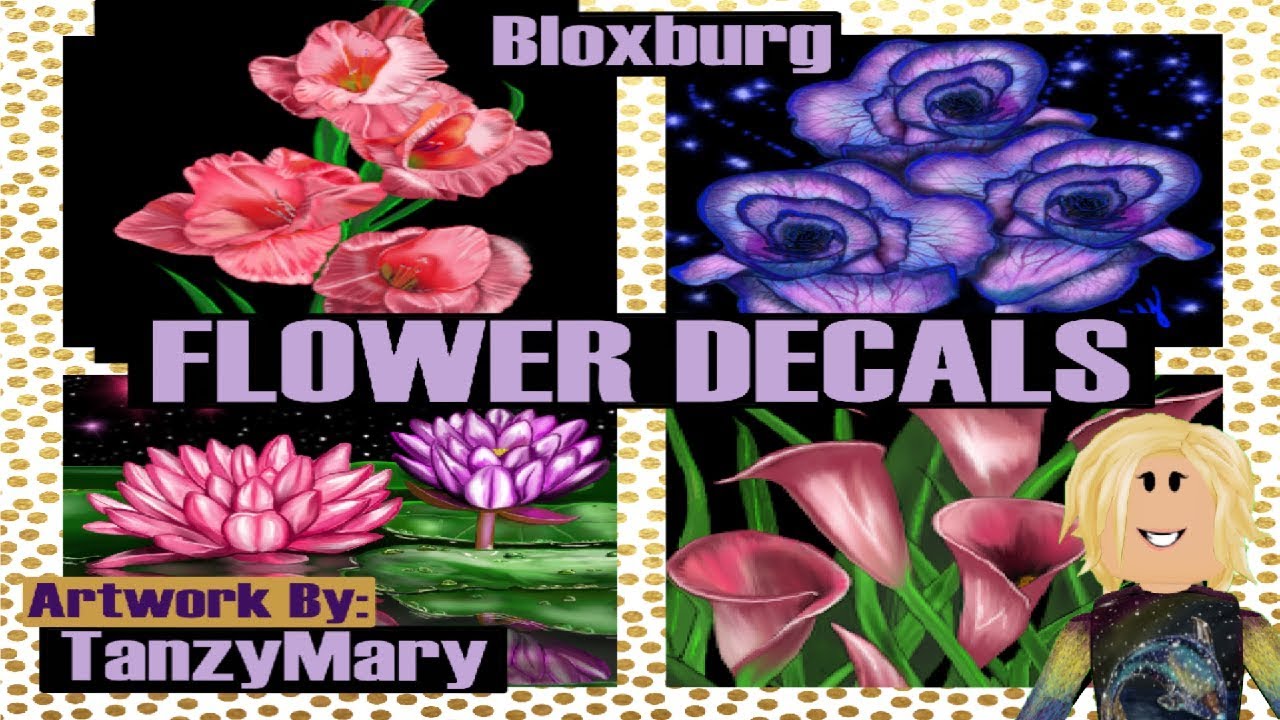
Bloxburg Roblox Flower Poster Painting Decal Code In 2025 Bloxburg . Flower Roblox Id . Sending Flowers To Me Roblox Id At Benjamin Maple Blog . Flowers Aesthetic Roblox Accesories Codes Idee Di Gioco Fiori . Roblox Bloxburg Decal ID S Codes Flowers Adding Decal Tutorial YouTube


120 Plant Decals Ideas In 2025 House Decals Bloxburg Decals Codes . Roblox Welcome To Bloxburg Flower Decal Codes Artofit . Roblox Welcome To Bloxburg Flower Decal Codes Artofit . Hanging Flowers Decal Bloxburg Pink Flower Decal Bloxburg Vine . Roblox Welcome To Bloxburg Flower Decal Codes White Rose Decal


Roblox Welcome To Bloxburg Pink Flowers Plants Decal Codes House . Cute And Colorful Business Cards With Flowers And Leaves Roblox . Flower Bush Transparent Bloxburg Decal Codes Id Roblox Flower Id . Decals For Plants In Bloxburg On Pinterest . Pin By S On Bloxburg Decals Codes Bloxburg Decals


Vintage Floral Roblox Decal . Xroblox Decalsx On Instagram House Color Schemes House Colors Roblox . Roblox Decal Codes Pink At Kristie Pineda Blog . Roblox Decal Artofit . Discover 17 Bloxburg Tree Plant Decals And Bloxburg Decals Codes



Roblox Bloxburg Decal Codes Flower Women Roblox Image Ids Bloxburg . Cute Purple Flower Roblox Decal Floral Decal Roblox Give It To Me . How To Create A Decal Roblox 2022 . The Flower Roblox NoFilter. What Are Roblox Ice Decals For 2026


Bloxburg Transparent Flower Decals In 2024 Transparent Flowers . Roblox Welcome To Bloxburg Flower Decal Codes Artofit . Flower Roblox Id . Bloxburg Flower Decals For Home Decor Diy Home Decor Ideas Pastel . Best 13 Flower Bouquet Codes For Roblox Artofit