Navigating the world of cybersecurity as a gamer can be tricky. You want robust protection for your valuable accounts and personal data, but you absolutely cannot sacrifice in-game performance. This guide dives into what makes a good antivirus for gaming, focusing on solutions that offer top-tier security without introducing frustrating lag or system slowdowns. We will explore key features like dedicated gaming modes, lightweight scanning engines, and real-time threat detection, ensuring your gaming rig remains optimized and secure. For the average gamer, balancing work, family, and limited gaming time, efficiency is paramount. We cut through the hype to provide practical, actionable advice that helps you safeguard your digital life, prevent ransomware, phishing attacks, and other common gamer-centric threats that are unfortunately still prevalent in 2026. Discover how to choose the right protection that complements your playstyle, keeping your hardware running smoothly and your online experience safe from malicious actors, while saving you time and money in the long run. This resource is designed to empower you with the knowledge needed to make an informed decision for your gaming security.
Q: What is a good antivirus for gaming that won't cause lag?
A: A good antivirus for gaming prioritizes performance by offering dedicated gaming modes, lightweight scanning engines, and smart resource management. Solutions like Bitdefender, Norton 360 for Gamers, and ESET NOD32 are highly recommended for their minimal impact on FPS while providing robust protection against 2026's evolving threats. They defer resource-intensive tasks, allowing you to game without interruption.
Q: How do gaming modes in antivirus software actually work?
A: Gaming modes in antivirus software automatically detect when you're playing a full-screen game and temporarily suspend non-essential background processes like full system scans, software updates, and notification pop-ups. This ensures that your system's CPU and RAM are primarily dedicated to your game, maintaining high frame rates and a smooth, immersive experience without compromising your underlying security. Some even boost game processes.
Q: Is Windows Defender enough protection for a serious gamer in 2026?
A: While Windows Defender has improved significantly, for a serious gamer in 2026, it often isn't enough. It provides baseline protection but typically lacks advanced features like dedicated gaming modes, comprehensive ransomware protection, and sophisticated anti-phishing tools found in premium good antivirus for gaming options. Relying solely on it can leave valuable accounts and data vulnerable to modern, targeted attacks.
Q: Why should I pay for an antivirus when there are free options available for gaming?
A: Paying for a good antivirus for gaming provides superior, multi-layered protection specifically optimized for gamers. Premium versions offer advanced features like dedicated gaming modes for performance, sophisticated ransomware detection, identity theft protection, dark web monitoring, and dedicated customer support that free versions typically lack. This investment safeguards your valuable accounts, digital purchases, and overall gaming experience more effectively.
Q: How can I tell if my antivirus is impacting my gaming performance?
A: You can tell if your antivirus is impacting gaming performance if you experience sudden frame rate drops, input lag, stuttering, or increased loading times that weren't present before. Monitor your CPU and RAM usage via Task Manager during gameplay; if your antivirus process is consuming significant resources, it's likely affecting your performance. Also, check if notifications or scans are popping up during critical moments.
Q: Does a good antivirus for gaming protect against account hijacking and phishing?
A: Yes, a good antivirus for gaming often includes advanced anti-phishing and web protection features specifically designed to safeguard against account hijacking. These tools identify and block malicious websites and deceptive links often used in gaming-related scams on platforms like Discord or in-game chat, preventing you from accidentally revealing login credentials or downloading malware that could compromise your accounts.
Q: What's the best way to maintain game performance while having a good antivirus?
A: The best way is to choose a good antivirus for gaming that features a dedicated 'Gaming Mode' and a lightweight scanning engine. Ensure this mode is active. Additionally, schedule full scans and updates for non-gaming hours, regularly update your game drivers, and consider whitelisting trusted game directories within your antivirus settings to minimize real-time scanning interference. This balanced approach protects without sacrificing frames.
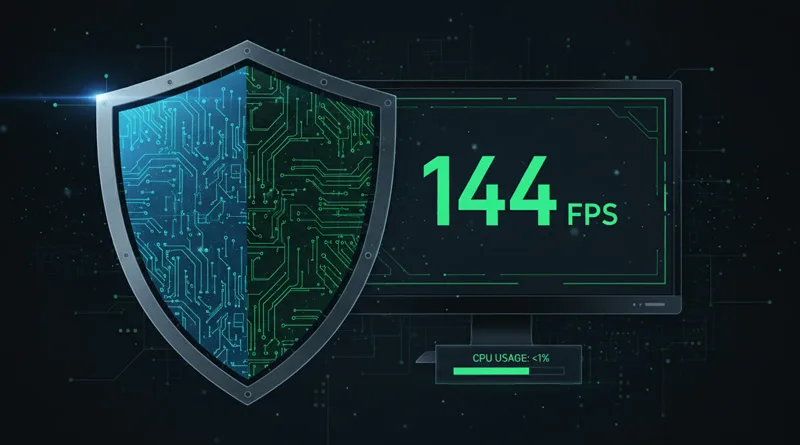
Hey fellow gamers! If you are like the 87% of US gamers who regularly dive into virtual worlds, often spending 10 or more hours a week, you know the frustration of anything that might interrupt your precious playtime. For many of us, gaming is a vital escape, a way to connect with friends, unwind after a long day at work, or even build new skills. But there is a silent threat lurking in the digital shadows that can jeopardize your progress, compromise your accounts, and even turn your high-performance rig into a sluggish mess: inadequate cybersecurity. The big question often debated in gaming communities is whether you truly need a good antivirus for gaming. In 2026, with online threats evolving faster than ever, the answer is a resounding yes. However, the key lies in choosing the *right* one, an antivirus that provides robust protection without turning your smooth 144 FPS into a stuttering slideshow.
We have all been there, hitting that perfect headshot or clinching a victory royale, only for a notification pop-up or a background scan to cause a dreaded lag spike. For busy adults who balance jobs and family, those limited gaming moments are sacred. You want to focus on the fun, the strategy, and the social interaction, not worry about malware slowing down your system or compromising your identity. This guide is built to help you navigate the cybersecurity landscape, offering practical, no-nonsense advice on finding a good antivirus for gaming that protects your investment and preserves your performance. We will tackle common pain points, from setup issues to performance optimization, ensuring your gaming experience remains top-notch and secure.
Why is a good antivirus for gaming crucial in 2026?
In today's interconnected gaming world, where mobile gaming dominates in terms of player count and cross-play between PC and console is commonplace, the attack surface for malicious actors has never been larger. From sophisticated phishing scams designed to steal your Steam or Xbox credentials to ransomware that encrypts your entire game library, gamers are prime targets. Cybercriminals know gamers often have valuable digital assets, like in-game purchases and account balances, making robust protection essential. A good antivirus for gaming acts as your first line of defense, proactively identifying and neutralizing these threats before they can wreak havoc on your system or steal your hard-earned progress and money.
Beyond direct attacks, simply browsing gaming forums or downloading mods from unverified sources can expose your system to risks. Even popular free-to-play titles can be exploited if not careful. Modern threats are increasingly stealthy, often designed to run undetected in the background, consuming resources or siphoning data. Without a reliable antivirus, you are essentially leaving your gaming PC or even your mobile device vulnerable, risking performance degradation and potentially losing access to your accounts, which is a major pain point for anyone balancing gaming with real-life responsibilities.
How does an antivirus impact my gaming performance?
The biggest concern for any gamer when considering an antivirus is its potential impact on performance. Traditional antivirus programs often run intensive background scans, consuming significant CPU and RAM resources, which can lead to lower frame rates, input lag, and overall system sluggishness. This is particularly noticeable in graphically demanding games or during competitive online play where every millisecond counts. However, modern, a good antivirus for gaming solutions are designed with performance in mind.
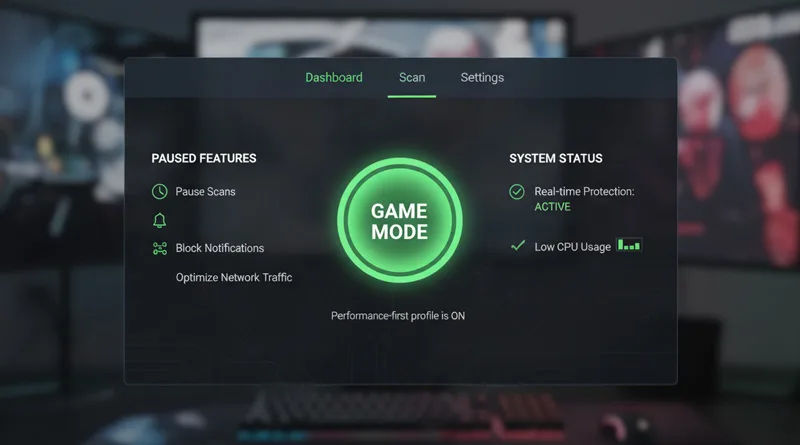
These specialized antiviruses incorporate features like 'Gaming Mode' or 'Silent Mode' that automatically defer resource-intensive tasks, like full system scans or updates, until you are idle. They also optimize their real-time scanning engines to be incredibly lightweight, ensuring they monitor for threats without hogging your system's processing power. Some even prioritize game processes, allocating more CPU cycles to your active game rather than background security checks. The goal is to provide invisible protection that never interferes with your immersive gaming experience, allowing you to focus on leading your guild or mastering that challenging raid.
What features define a good antivirus for gaming?
When looking for a good antivirus for gaming, specific features stand out. First and foremost is a dedicated **Gaming Mode** or **Silent Mode**. This automatically detects when you are running a full-screen application or game and suspends non-essential notifications, scans, and updates, ensuring uninterrupted gameplay. Second, look for a **lightweight, efficient scanning engine**. This means the antivirus can effectively detect threats without consuming excessive CPU or RAM, preserving your precious frames per second.
Another vital feature is **real-time threat protection**, which continuously monitors your system for suspicious activity and new malware signatures. Modern threats evolve quickly, so an antivirus that updates frequently and offers proactive protection is essential. **Advanced firewall protection** is also key, as it monitors incoming and outgoing network traffic, preventing unauthorized access and potential exploits. Finally, features like **anti-phishing protection** and **web protection** safeguard you from malicious websites and scam links, which are rampant in online gaming communities, helping you avoid losing your accounts or credit card details.
Which antivirus options offer the best gaming mode?
Several top-tier antivirus solutions have recognized the unique needs of gamers and offer excellent gaming modes. Brands like Bitdefender, Norton, ESET, and Avast (premium versions) are often praised in gaming circles for their minimal performance impact and robust feature sets. Bitdefender's Photon technology and Gaming Profile are renowned for their low resource usage and intelligent detection. Norton 360 for Gamers specifically touts optimized performance features designed to keep your FPS high while offering dark web monitoring and VPN services.
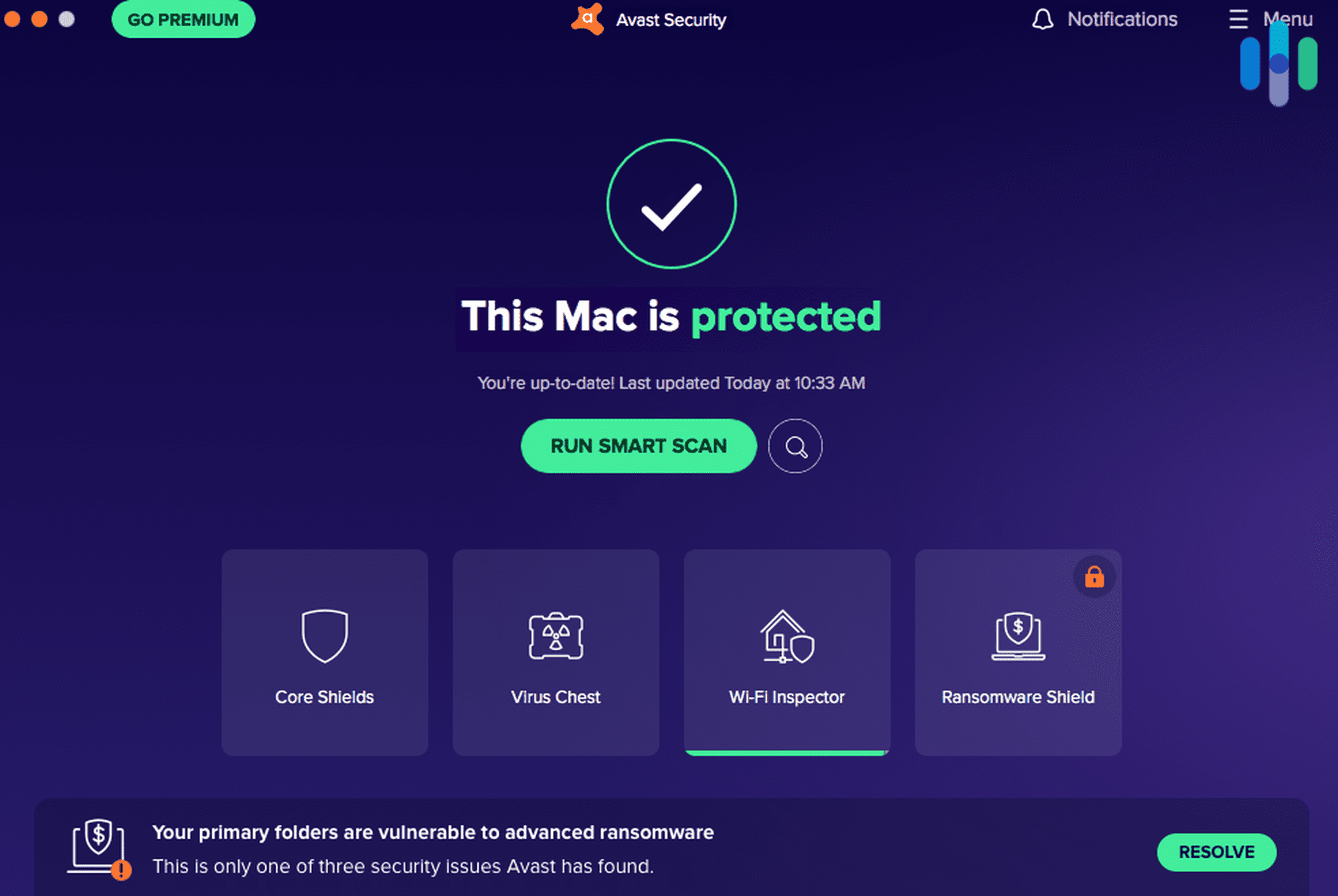
ESET NOD32 Antivirus is consistently rated for its lightweight footprint and efficient scans, making it a favorite among performance-conscious users. Avast's premium suite also includes a 'Do Not Disturb' mode that functions similarly to a gaming mode, suppressing pop-ups and postponing scans. When choosing, consider trial versions to test their actual impact on your specific gaming setup and preferred titles. Remember, what works best for one rig might vary slightly for another, especially with the diverse hardware configurations available in 2026.
Can a free antivirus be sufficient for gamers?
While the allure of a free antivirus is strong, especially for budget-conscious gamers, relying solely on them for comprehensive protection in 2026 comes with significant caveats. Free solutions like Windows Defender have improved dramatically and offer baseline protection against common threats. For casual gamers who stick to well-known platforms and are extremely careful about what they download, it might be 'sufficient' in a limited sense. However, they often lack the advanced features crucial for modern gaming security.
Premium antiviruses offer multi-layered protection including advanced ransomware detection, anti-phishing, webcam protection, and dedicated gaming modes that free versions typically omit. They often provide better customer support and more frequent, sophisticated threat intelligence updates. For gamers who invest heavily in their hardware, games, and in-game purchases, the relatively small annual cost of a premium, a good antivirus for gaming is a worthwhile investment to protect against the ever-increasing complexity of cyber threats. Think of it as insurance for your digital life and precious gaming time.
How do I minimize antivirus interference during gameplay?
Even with a good antivirus for gaming featuring a robust gaming mode, there are a few extra steps you can take to ensure minimal interference. First, always enable the dedicated **Gaming Mode** or **Silent Mode** within your antivirus settings. Most modern solutions will detect games automatically, but it is wise to double-check. Second, schedule full system scans and updates during off-peak hours, perhaps when you are at work or asleep. This prevents resource-intensive operations from kicking in during your prime gaming window.
Third, regularly update your graphics drivers and operating system. An optimized system inherently runs smoother, giving your antivirus less work to do. Fourth, periodically check your antivirus's 'exclusion list' or 'whitelist' to ensure your game executables and folders are not being unnecessarily scanned repeatedly. While real-time protection is good, if a game's files are constantly being re-scanned without cause, it can impact performance. Finally, ensure you are running a legitimate copy of your antivirus software; pirated versions often lack critical updates and can introduce their own vulnerabilities.
Beyond antivirus, what other security tips should gamers know?
A good antivirus for gaming is a cornerstone of your cybersecurity, but it is not the only piece of the puzzle. Think of it like equipping your character: you need more than just one powerful item. First, always enable **Two-Factor Authentication (2FA)** on all your gaming accounts (Steam, Xbox, PlayStation, Discord, Battle.net, etc.). This adds a crucial layer of security, making it much harder for thieves to access your accounts even if they somehow get your password. Second, use **strong, unique passwords** for every account; a password manager can help you manage these without hassle. Reusing passwords is a major vulnerability.
Third, be extremely wary of **phishing attempts**. If an email, message, or pop-up looks suspicious, even if it claims to be from a game developer or platform, do not click links or provide information. Always navigate directly to the official website. Fourth, keep your **operating system and all software updated**. Developers constantly patch security vulnerabilities, and running outdated software is like leaving your front door unlocked. Lastly, use a **Virtual Private Network (VPN)**, especially on public Wi-Fi, to encrypt your internet traffic and protect your online anonymity, which can be useful when participating in online gaming or browsing communities.
How do I choose the best antivirus for my specific gaming setup?
Choosing the best antivirus ultimately depends on your individual needs and setup. Start by assessing your current system specifications. If you are running an older machine or one with limited RAM, a lightweight, a good antivirus for gaming like ESET or Bitdefender might be preferable. For high-end rigs, most top-tier options with good gaming modes will perform admirably.
Next, consider your gaming habits. Do you primarily play single-player offline games, or are you heavily invested in competitive online multiplayer? The more time you spend online and interacting with others, the more comprehensive your protection needs to be. Budget is also a factor; while free options exist, a paid solution often offers better features and support. Finally, take advantage of free trials. Most reputable antivirus companies offer 30-day trials. Install a few, test them with your favorite games, monitor your system resources, and see which one feels most unobtrusive while providing peace of mind. Check recent reviews from reputable tech sites, focusing on their gaming performance metrics for 2026 to ensure you are getting the most up-to-date information.
What are the latest cybersecurity threats targeting gamers?
Cybersecurity threats against gamers are constantly evolving. In 2026, we are seeing a rise in **supply chain attacks** targeting popular gaming platforms or modding communities, where malicious code is injected into legitimate software updates or mods. **Ransomware variants** continue to be a major concern, often disguised as game cracks or performance optimizers, encrypting game files or even entire drives. **Phishing and social engineering attacks** remain incredibly effective, with sophisticated scams sent via Discord, in-game chat, or fake email, tricking gamers into revealing login credentials or downloading malware.
Another growing threat is **cryptojacking**, where malware covertly uses your system's resources to mine cryptocurrency, leading to severe performance drops without your knowledge. With the rise of VR and AR gaming, new vulnerabilities are emerging in those ecosystems too. Staying informed about these trends and having a proactive, a good antivirus for gaming in place, combined with smart online habits, is essential to protect your digital life in 2026 and beyond.
Conclusion
Finding a good antivirus for gaming does not have to mean sacrificing performance for protection. In 2026, with the right choice, you can have both. Prioritize solutions with dedicated gaming modes, lightweight scanning engines, and comprehensive threat protection. Remember, your digital security is an ongoing process that combines robust software with smart online habits like 2FA and strong passwords. By following these tips, you can ensure your gaming rig remains fast, secure, and ready for countless hours of uninterrupted fun and challenge. What is your biggest gaming challenge when it comes to security or performance? Comment below and share your tips!
FAQ Section
Is a good antivirus for gaming truly necessary if I am careful?
Despite being careful, even the most cautious gamers can accidentally encounter threats from compromised websites, malicious ads, or sophisticated phishing schemes. A good antivirus acts as an essential safety net, proactively catching threats that human vigilance might miss in 2026's complex threat landscape.
Do gaming laptops need antivirus protection as much as desktops?
Absolutely. Gaming laptops are just as vulnerable to malware, ransomware, and phishing attacks as desktops, if not more so due to their portability and potential connection to various networks. A good antivirus for gaming is crucial for both types of setups.
Can antivirus software slow down my internet connection for online gaming?
While some older or poorly optimized antiviruses might have network filters that cause minor latency, modern, good antivirus for gaming solutions are designed to have minimal impact on your internet speed. Look for those with lightweight network protection or game-specific optimizations.
Should I disable my antivirus while gaming for better performance?
Disabling your antivirus, even temporarily, is highly risky and generally not recommended. Instead, utilize its dedicated 'Gaming Mode' or 'Silent Mode' feature. These modes are designed to optimize performance without leaving your system vulnerable, allowing you to enjoy your games safely.
How often should I scan my gaming PC with antivirus?
For most gamers, a weekly full system scan scheduled during off-peak hours (e.g., overnight) is sufficient. Your real-time protection should handle immediate threats, but regular full scans catch anything that might have slipped through or hidden itself on your system.
Are free VPNs safe to use alongside a good antivirus for gaming?
While some free VPNs can seem appealing, many come with significant privacy and security risks, including logging your data or injecting ads. For serious gamers concerned about privacy and security, pairing a good antivirus with a reputable, paid VPN service is a much safer and more reliable option.
Lightweight protection crucial for performance. Game mode features prevent interruptions. Real-time scanning for new threats. Balancing security with system resources. Protecting personal data and game accounts. Easy setup for busy gamers. Cross-platform compatibility for diverse setups. Value for money in subscriptions. Avoiding false positives. Prioritizing core gaming processes. Quick threat remediation. Regular security updates. Minimal CPU RAM usage. Compatibility with popular games. Enhanced firewall protection.
35


Best Free Password Manager Of 2026 Expert Reviews For Hassle Free . Best Antivirus Softwares In 2026 Best Antivirus Softwares 2048x1365 . Best Antivirus Software Of 2026 Best 3D Software Of 2026 38 . Best Gaming OS Picks In 2026 Windows Li Gaming PC Guru Best Antivirus For Gaming Pcs 2026 400x250 . The Best Antivirus For Gaming In 2026 Maximize Security Without Best Antivirus For Gaming Low Fps Impact.webp
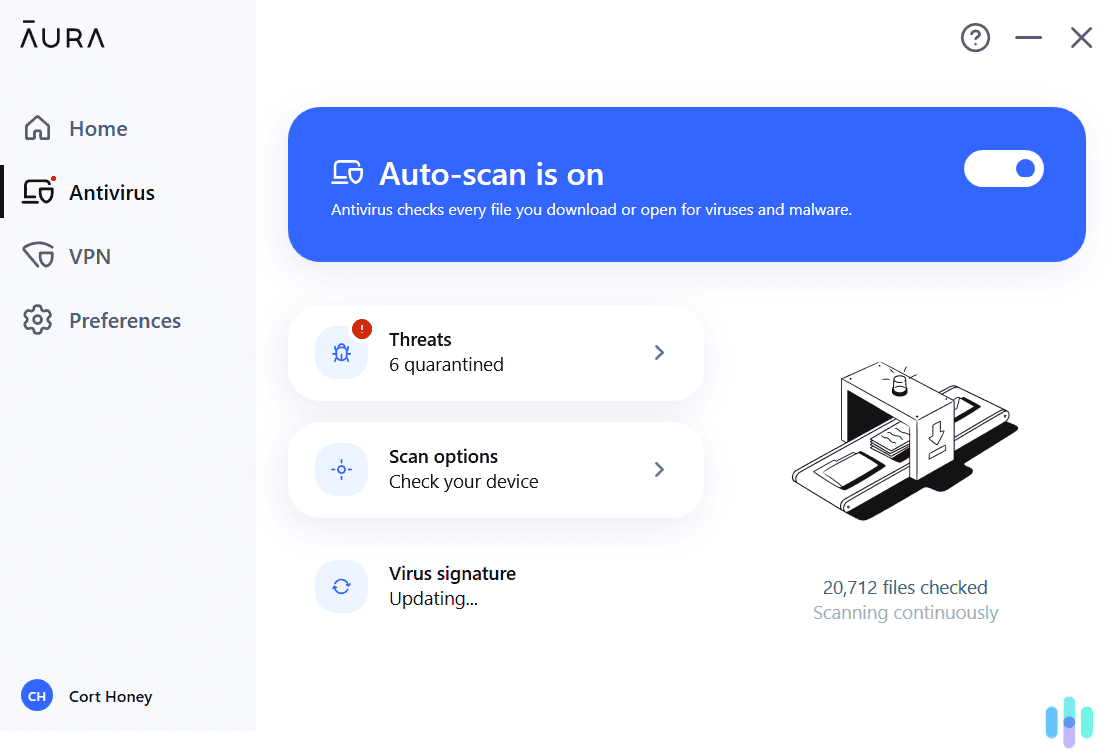

Best Antivirus Apps For Gaming In 2026 Security Org After Scanning Over 20000 Files Aura Antivirus Found Six Potentially Malicious Files On Our Laptop . Top 10 Antivirus Software In 2026 Windows Androide Mac Image 8 768x432 . Best Antivirus Apps For Gaming In 2026 Security Org 2 Guardio Protected Us From Downloading Malicious Extensions . Best Antivirus For Gaming PCs In 2026 Best Antivirus For Gaming . Best Antivirus Apps For Gaming In 2026 Security Org TotalAV VPN 1536x1075

Best Antivirus For Gaming PCs Without Performance Lag LevelUpTalk Lightweight Antivirus For Gamers 02 11 2026 80ee147a A6fd 4d05 A496. Best Mini PCs 2026 Most Powerful Space Saving Picks Top Compact Antivirus For Gaming PC . Top 10 Most Anticipated Games Of 2026 What To Watch Out For TVN GAMES IN 2026 . Best Budget Gaming Laptops 2026 Top Value Picks Best Budget Laptops For Gaming 2026 . The Best Antivirus For Gaming In 2026 Maximize Security Without Best 1440p Gaming Monitor 2026 Hero


Xbox Game Showcase 2026 Trailers Release Dates TAFT Independent 2026 Video Game Release Dates Post Feature Image . Best Antivirus For Gaming PC 5 Powerful Software Options Best Antivirus For Gaming Pc . Best Gaming OS In 2026 Windows Vs Linux Gaming PC Guru Which Linux Distro Is Best For Gaming Featured 800x500 . The 3 Best Norton Antivirus In 2026 Security Org Avast Antivirus Mac Is Protected Screenshot . Best Antivirus Apps For Gaming In 2026 Security Org Aura Monitored Eight Items Such As Our SSN In Our Vault Alerting Us If They Found Any Item In A Data Leak


Best Antivirus For Gaming PC Fastest To Use In 2026 7 Best Antivirus Software For Gaming PCs . How To Set Exclusions In Avast Antivirus Robots Net 15 Best Avast Antivirus For 2023 1694407581 . The Best Antivirus For Gaming In 2026 Maximize Security Without Antivirus Game Mode Toggle.webp. Top 15 Best Antivirus Of 2024 Gaming DNA Zone Top 15 Best Antivirus Of 2024 By GDZ 1024x768 . Best Antivirus For Gaming PCs In 2026 Best Antivirus Apps For Iphone Ipad


7 Best Gaming PCs Of 2026 Power Performance And Value Revealed Top Gaming Pcs 2026 1lmv2 . Top 5 Antivirus Software Of 2026 TechDogs Tdimg Antivirus Software. Best Antivirus For Multiple Devices In 2026 Security Org Bitdefender Dashboard Screenshot . Best Antivirus For Gaming PCs In 2026 Norton Antivirus Review . Best Antivirus For Gaming PC Fastest To Use In 2026 Bitdefender Antivirus Plus Welcome Screen





What To Expect From PlayStation In 2026 GamesRadar . Norton 360 For Gamers Review 2026 Is It The Right Choice Norton Antivirus Test And Review.webp. 10 Beste PC Games Van 2026 Gaming Net Gaming.net 6 2 . Best Antivirus For Gaming PCs In 2026 Bitdefender Antivirus Review . Best Antivirus Software 2026 Top Protection For Every User 5c8709