Are you a busy US gamer balancing work and family, yet still craving smooth, uninterrupted Roblox sessions? This comprehensive guide dives deep into Roblox bandwidth, explaining what it is, why it matters for your gameplay, and crucially, how to optimize it. Many adult gamers, around 87 percent of whom game regularly averaging over 10 hours a week, face performance issues like lag or disconnects, often unknowingly tied to their internet connection's bandwidth. Whether you play Roblox on PC, mobile, or console, understanding and managing your bandwidth is key to enjoying those precious moments of relaxation and social connection in games. We'll cover practical tips and tricks that empower you to troubleshoot common problems, reduce data usage, and ensure your Roblox experience is as seamless as possible, allowing you to focus on fun, skill-building, and connecting with friends without the frustration of technical hiccups. Get ready to reclaim your smooth Roblox gameplay.
How to Troubleshoot Roblox Lag and Bandwidth Issues?
To troubleshoot Roblox lag, start by checking your internet speed and ping. Next, restart your router and device. Ensure no other applications are consuming significant bandwidth in the background. If on Wi-Fi, try moving closer to your router or switching to an Ethernet cable. Lower Roblox's in-game graphics settings, clear its cache, and update your network drivers. If problems persist, consider temporarily disabling VPNs or firewalls to rule them out, then contact your ISP.
What Internet Speed is Ideal for a Smooth Roblox Experience?
For a truly smooth Roblox experience, especially in popular, multiplayer games, a download speed of 20-30 Mbps and an upload speed of 5-10 Mbps are ideal. While Roblox can run on lower speeds (4-8 Mbps minimum), consistent high performance and responsiveness, free from lag, require a more robust connection, particularly if multiple devices share the network.
Why is My Roblox Constantly Disconnecting Even With Good Wi-Fi?
Constant disconnections, even with good Wi-Fi, often point to network instability or interference rather than just low bandwidth. Potential causes include Wi-Fi signal interference from other devices or neighboring networks, an outdated router, network driver issues, or temporary Roblox server problems. Try a wired connection, update drivers, and restart your router for a more stable link.
How Can I Reduce Roblox Data Usage on My Mobile Device?
To reduce Roblox data usage on mobile, lower the in-game graphics settings to a minimum. Close all other background applications and browser tabs. Avoid downloading updates or large files on your device or other connected devices while playing. Opt for playing less graphically intensive Roblox experiences when on a limited data plan, and prioritize Wi-Fi over cellular data whenever possible for stability and cost savings.
Does My Device's Performance Affect Roblox Bandwidth Needs?
While your device's performance doesn't directly change the *amount* of bandwidth Roblox *needs* to run, a struggling device can *make it seem* like a bandwidth issue. If your CPU, GPU, or RAM are bottlenecking, the game might stutter or load slowly regardless of your internet speed. This can lead to perceived lag, making a smooth connection less impactful until the hardware bottleneck is addressed. It's a symbiotic relationship where both need to perform well for an optimal experience.
What is the Impact of Ping on Roblox Gameplay Versus Bandwidth?
Ping (latency) measures the time it takes for data to travel from your device to the Roblox server and back, directly impacting responsiveness. High bandwidth ensures a large volume of data can pass through, preventing data traffic jams. Both are crucial: good bandwidth allows the game to load and render quickly, while low ping ensures your actions register instantly. You can have high bandwidth but high ping, causing lag due to delayed communication, not data volume.
How Do Router Settings Influence My Roblox Bandwidth and Stability?
Router settings significantly influence your Roblox experience. Features like Quality of Service (QoS) allow you to prioritize your gaming device, ensuring Roblox gets dedicated bandwidth. Proper Wi-Fi channel selection can reduce interference, improving signal stability. Regularly updating your router's firmware enhances performance and security. An outdated or poorly configured router can lead to inefficient data distribution, higher latency, and frequent disconnections, directly impacting your Roblox bandwidth and stability.
For many US gamers, Roblox isn't just a game; it's a social hub, a creative outlet, and a source of relaxation after a long day of work and family responsibilities. But nothing disrupts that precious unwind time like lag, stuttering, or disconnections. If you've ever found yourself asking, "Why is my Roblox so slow?" or "What internet speed do I need for Roblox?" then chances are, you're grappling with Roblox bandwidth issues. With about 87 percent of US gamers regularly dedicating 10+ hours a week to their passion, often balancing it with demanding lives, a smooth gaming experience isn't a luxury—it's essential for making the most of limited free time. Understanding and optimizing your Roblox bandwidth is the secret to unlocking consistent, enjoyable gameplay, allowing you to build, explore, and socialize without frustration. This guide will help you diagnose common problems and implement practical solutions to ensure your connection keeps up with your adventures in the metaverse.
The good news is that optimizing your Roblox experience doesn't require a complete tech overhaul or a massive budget. Many solutions are simple adjustments you can make at home, focused on ensuring your internet connection is dedicated to where it matters most—your game. From understanding your router settings to managing background applications, we'll walk you through everything you need to know. Let's dive in and transform your Roblox sessions from frustrating to fantastic.
What Exactly Is Roblox Bandwidth and Why Does It Matter?
Roblox bandwidth refers to the amount of data your internet connection can send and receive per second while playing Roblox. Think of it like a highway: the wider the highway (more bandwidth), the more cars (data) can travel smoothly without traffic jams. For Roblox, this data includes everything from your character's movements and chat messages to loading new game environments and interacting with other players. A sufficient Roblox bandwidth ensures that all this information flows quickly and efficiently between your device and Roblox's servers, leading to responsive controls and a seamless, real-time experience. Insufficient bandwidth, on the other hand, causes lag, delayed actions, and disconnections, making the game unplayable.
What Are the Minimum and Recommended Internet Speeds for Roblox?
While Roblox is generally not as bandwidth-intensive as some AAA titles, a stable connection is key. For basic gameplay, Roblox recommends a minimum of 4-8 Mbps download speed. However, to truly enjoy Roblox without noticeable lag, especially in popular, graphically rich games or when playing with many others, a download speed of 20-30 Mbps is recommended. Upload speed is also important, particularly if you're streaming your gameplay or communicating via voice chat; 5-10 Mbps upload is ideal. Remember, these are general guidelines, and factors like the number of devices on your network and the specific game you're playing can influence actual performance. Mobile gaming continues its dominance, so if you're on a smartphone or tablet, a strong Wi-Fi connection is preferable over cellular data for stability.
How Can I Check My Current Internet Speed and Identify Issues?
Checking your internet speed is straightforward. You can use free online speed test websites like Speedtest.net or Fast.com. Make sure to run the test on the device you use for Roblox and ideally while other devices are not actively using the internet for a more accurate reading. If your speeds are consistently below the recommended thresholds, contact your Internet Service Provider (ISP). Look for consistent speeds; fluctuations can indicate network congestion or router problems. Pay attention to ping (latency) as well; a high ping (over 50-100ms) indicates delays in data transmission, which causes noticeable lag in Roblox.
Why Does My Roblox Experience Lag Even with High Bandwidth?
High bandwidth doesn't automatically guarantee a lag-free experience. Several factors can cause Roblox to lag even if your internet speed seems sufficient. These include:
- Network Congestion: Other devices on your home network streaming video, downloading large files, or video conferencing can hog bandwidth.
- Wi-Fi Interference: Walls, other electronics, or neighboring Wi-Fi networks can degrade your wireless signal quality.
- Outdated Hardware: Old routers or network adapters might not be able to handle modern internet speeds efficiently.
- Roblox Server Issues: Sometimes the problem isn't on your end but with Roblox's servers themselves, especially during peak hours.
- Device Performance: Your computer, phone, or tablet's CPU, GPU, or RAM might be struggling to run the specific Roblox game, independent of your internet connection.
- Game-Specific Issues: Some Roblox experiences are simply not optimized well, leading to lag regardless of your setup.
Identifying the root cause often requires a bit of troubleshooting, which we'll cover next.
What Are the Best Ways to Optimize My Roblox Bandwidth?
Optimizing your Roblox bandwidth involves a combination of network and device adjustments. Start with these steps for a smoother experience:
1. Prioritize Your Gaming Device
If you have multiple devices online, prioritize your gaming PC or mobile. This can be done via your router's Quality of Service (QoS) settings, if available. QoS allows you to allocate more bandwidth to specific devices or applications. Check your router's manual or online support for instructions on enabling and configuring QoS.
2. Use a Wired Connection (Ethernet)
For PC gamers, connecting your computer directly to your router with an Ethernet cable is the single most effective way to improve stability and reduce latency. Wired connections are faster, more reliable, and less prone to interference than Wi-Fi. This is a crucial step for serious gamers who value consistent performance.
3. Minimize Network Congestion
Ask family members to pause large downloads, streaming services, or video calls while you're playing Roblox. The fewer devices actively using the internet during your gaming session, the more bandwidth is available for Roblox. This is especially important in households with many connected devices, which is common in US homes where social gaming thrives.
4. Update Your Router and Network Drivers
Ensure your router's firmware is up to date, as manufacturers often release updates that improve performance and security. Similarly, keep your device's network adapter drivers current to ensure optimal communication with your router. Outdated drivers can lead to inefficiencies and connection drops.
5. Clear Roblox Cache and Reinstall
Over time, cached data can accumulate and sometimes cause performance issues within Roblox. Clearing your Roblox cache or even performing a clean reinstallation can resolve corrupted files that might be impacting your game's efficiency and how it uses your network resources.
Can a VPN Impact My Roblox Bandwidth and Performance?
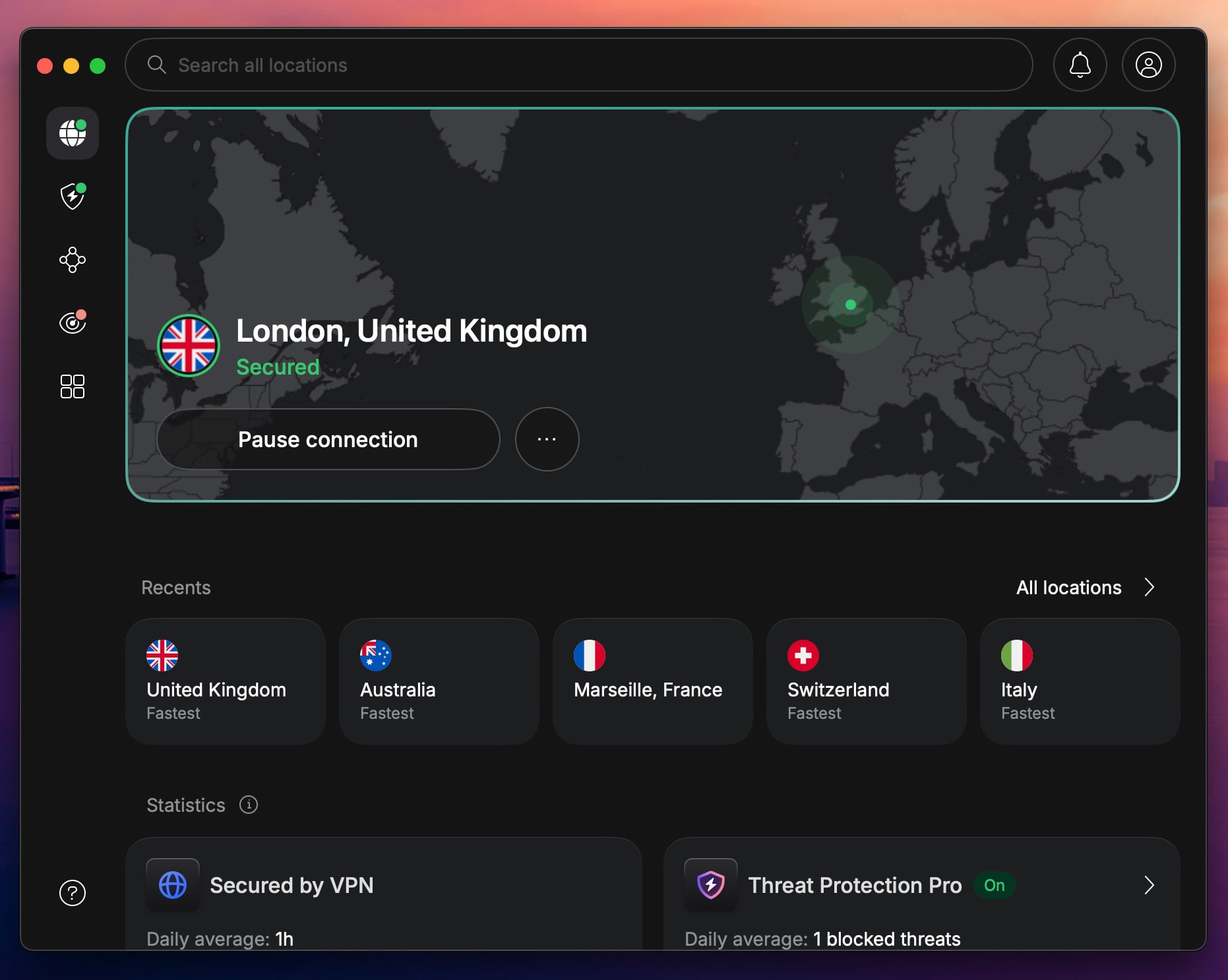
A Virtual Private Network (VPN) encrypts your internet traffic and routes it through a server in another location. While VPNs offer privacy and can sometimes bypass geo-restrictions, they often introduce additional latency (higher ping) and can reduce your overall bandwidth due to the encryption process and the extra distance data has to travel. For competitive or lag-sensitive Roblox games, a VPN is generally not recommended unless you are experiencing specific throttling from your ISP or need to access content unavailable in your region. If you do use one, choose a VPN provider with servers close to your physical location and Roblox's servers for the best possible performance.
How Can I Reduce Data Usage While Playing Roblox?
While Roblox isn't a massive data hog, reducing usage can be beneficial, especially if you have a capped internet plan or are playing on mobile data. Here's how:
- Lower Graphics Settings: In Roblox's in-game settings, reduce your graphics quality. Less detailed graphics mean less data needs to be downloaded and rendered.
- Close Background Apps: Ensure no other applications are running in the background that might be consuming data, even passively.
- Avoid Large Downloads: Steer clear of downloading game updates or large files on other devices while playing.
- Limit Voice Chat: If you're on a limited plan, using text chat over voice chat can save some data.
- Play Lighter Games: Some Roblox experiences are more graphically intensive or feature-rich than others. Lighter games generally consume less data.
When Should I Consider Upgrading My Internet Plan or Hardware?
If you've tried all the optimization tips and still experience persistent lag or slow loading times, it might be time to consider an upgrade. If your speed tests consistently show speeds below the recommended 20-30 Mbps for Roblox, or if your household has significantly increased its internet usage (more devices, more streaming), a faster internet plan is a logical next step. For hardware, consider a new router if yours is several years old, especially if it doesn't support modern Wi-Fi standards (like Wi-Fi 6) or lacks QoS features. Budget-friendly hardware upgrades can make a big difference, allowing busy gamers to optimize their entertainment without breaking the bank.
In conclusion, a smooth Roblox experience hinges on understanding and managing your Roblox bandwidth. By implementing these practical tips—from prioritizing your gaming device to optimizing your network and software settings—you can significantly improve your gameplay. Remember, you don't need to be a tech wizard to enjoy Roblox without frustrating lag. Just a few mindful adjustments can transform your gaming sessions, letting you dive into the fun, build new skills, and socialize with friends in the vibrant metaverse Roblox offers. What's your biggest gaming challenge? Comment below!
FAQ Section
What is a good ping for Roblox?
A good ping for Roblox is generally below 50ms. Pings between 50-100ms are playable but may introduce slight delays. Anything consistently above 100ms will result in noticeable lag and a frustrating experience. Lower ping means faster communication between your device and the game server.
Does having many friends on Roblox affect bandwidth?
Having many friends on Roblox itself doesn't directly affect your bandwidth. However, if those friends are all in the same game as you, the game environment will be rendering more player characters and interactions, which can indirectly increase the data required for that specific game, potentially impacting performance if your bandwidth is already stretched thin.
How often should I clear my Roblox cache?
It's a good practice to clear your Roblox cache every few weeks or whenever you notice performance issues like slow loading or glitches. Clearing the cache removes temporary files that can sometimes become corrupted or outdated, improving game stability and potentially reducing load times.
Can antivirus software slow down Roblox?
Yes, some antivirus software can potentially slow down Roblox. Overly aggressive real-time scanning can consume CPU resources and even interfere with network connections. Ensure your antivirus is up-to-date and consider adding Roblox as an exception in its settings if you suspect it's causing issues. A lightweight antivirus is often best for gamers.
Is Roblox more demanding on internet speed or device processing power?
Roblox requires a balance of both. For general gameplay, a stable internet connection (good bandwidth and low ping) is often more critical for a smooth experience, preventing lag and disconnections. However, for graphically intensive games within Roblox or on older devices, sufficient processing power (CPU, GPU, RAM) becomes equally important to render the detailed environments and complex interactions without stuttering.
Will closing browser tabs improve Roblox performance?
Yes, closing unnecessary browser tabs and other background applications can definitely improve Roblox performance. Each open tab or background app consumes a portion of your computer's RAM, CPU, and potentially network bandwidth. Freeing up these resources ensures that your system can dedicate more power to running Roblox smoothly, reducing lag and improving responsiveness.
Does Roblox use a lot of data on mobile?
Roblox's data usage on mobile can vary significantly depending on the game you're playing and your graphics settings. Lighter games with fewer players and simple graphics will use less data, perhaps 50-100MB per hour. More complex, popular games with high player counts and detailed environments can use 200-500MB per hour or even more. It's wise to monitor your data usage if you're on a limited mobile plan.
Understand Roblox bandwidth impact, identify common lag causes, practical steps for network optimization, reduce data usage, troubleshoot connectivity issues, enhance overall Roblox performance on any device, balance gaming with life effectively.
35




How To Message On Roblox 2026 A Quick Guide . Roblox R6 Explained What Does It Really Mean Oar2 . Roblox 2026 News Age Russia Ban Updates Roblox Team.webp. How To Message On Roblox 2026 A Quick Guide SL1500 . Act Up Uncensored Roblox Is It Possible In 2026 1200x630wa




Roblox At GDC 2026 Where To Find Us All Week Roblox. Roblox 2026 Insider Reveals Platform Evolution Safety 4000x4000bb . What Is Garhorse Roblox And Why Is It Popular In 2026 Updated Roblox. Roblox In 2026 Play On Roblox NoFilter. How To Publish A Game On Roblox In 2026 Roblox YouTube



Roblox 2026 Logo REVEALED New Color New Look YouTube Maxres2 . Bandwidth Throttling What It Is How To Tell Stop It X VPN Is Roblox Safe For Kids Scaled . How Do You Pronounce Roblox Correctly For 2026 1200x1769 . WOW The 2026 Roblox Logo Shocks All Players YouTube Maxres2 . How To Get Trusted Connections In Roblox 2026 Full Tutorial Roblox Trusted




Roblox 2026 Logo Evolve YouTube Oardefault . Best Roblox VPN 2026 Speed Security And Low Latency Nordvpn Uk Server Connected . Prepare For 2026 With Roblox Trends TikTok Img. How To Download Roblox On Any Device Easily In 2026 Moldura Calendario 2026 Roblox Game PNG 935x614 . A Roblox Movie 2026 Teaser Trailer Realtime YouTube Live View




Egypt Implements National Ban On Roblox To Protect Values Roblox Egypt Ban . 10 Roblox 2026 Gaming Net Roblox 1 1536x864 . 15 Best Roblox Horror Games Of 2026 15 Game Roblox Horror Terbaik 2026 Paling Seram And Bikin Deg Degan 7f944699ce . Unlocking Roblox S Advanced Options Is Easy Right Roblox Plague Codes . What Is Alien Hub Roblox And How Does It Work 2026 A Roblox Character Looking At An Event Hub




How To Message On Roblox 2026 A Quick Guide . 100 Unofficial Roblox Annual 2026 4687858526 5 . Best VPN For Roblox In 2026 Speed Security Low Latency NordVPN Roblox 960x533 . Roblox Unveils Homepage Ad Format At CES 2026 Outlook Respawn Image 1200x630 2026 01 . LOGO Roblox 2026 YouTube Maxres2



Upcoming Latest Roblox Games 2025 2026 Guide Upcoming Roblox Games And Features To Expect In 2026.webp. 12 Best Roblox Games To Play In 2026 Insider Ranked List 12 Roblox Top Games Of 2026.webp. Cara Top Up Robux Roblox Di VCGamers 2026 Murah Aman Cepat 1772163848 . A Roblox Movie Teaser Trailer 2026 What If Trailer YouTube . Roblox At GDC 2026 Where To Find Us All Week Roblox